Models take the first pass. Connect a detector, a classifier or a segmenter, or type “every helmet” and a vision model outlines each one with your label. Your people only accept, fix or reject.
The ground truth your models learn from.
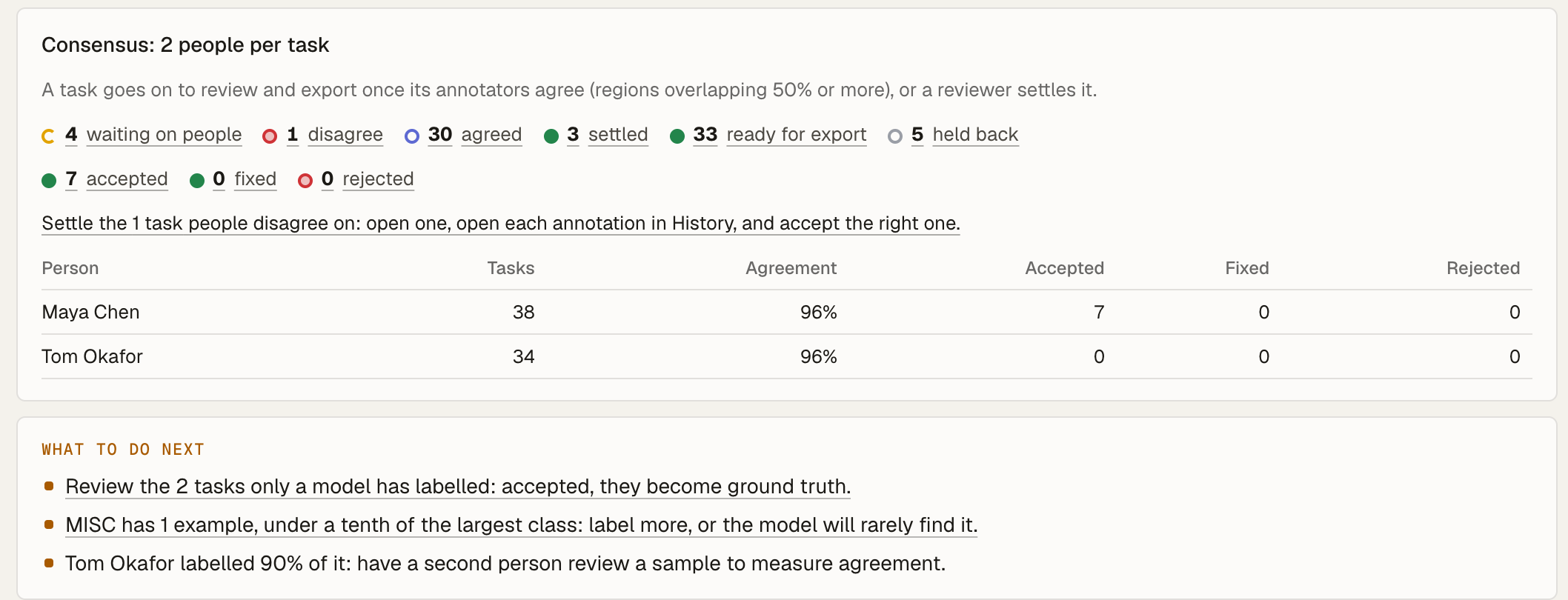
Pre-label with your models, review with your people, and export only what they agree on.
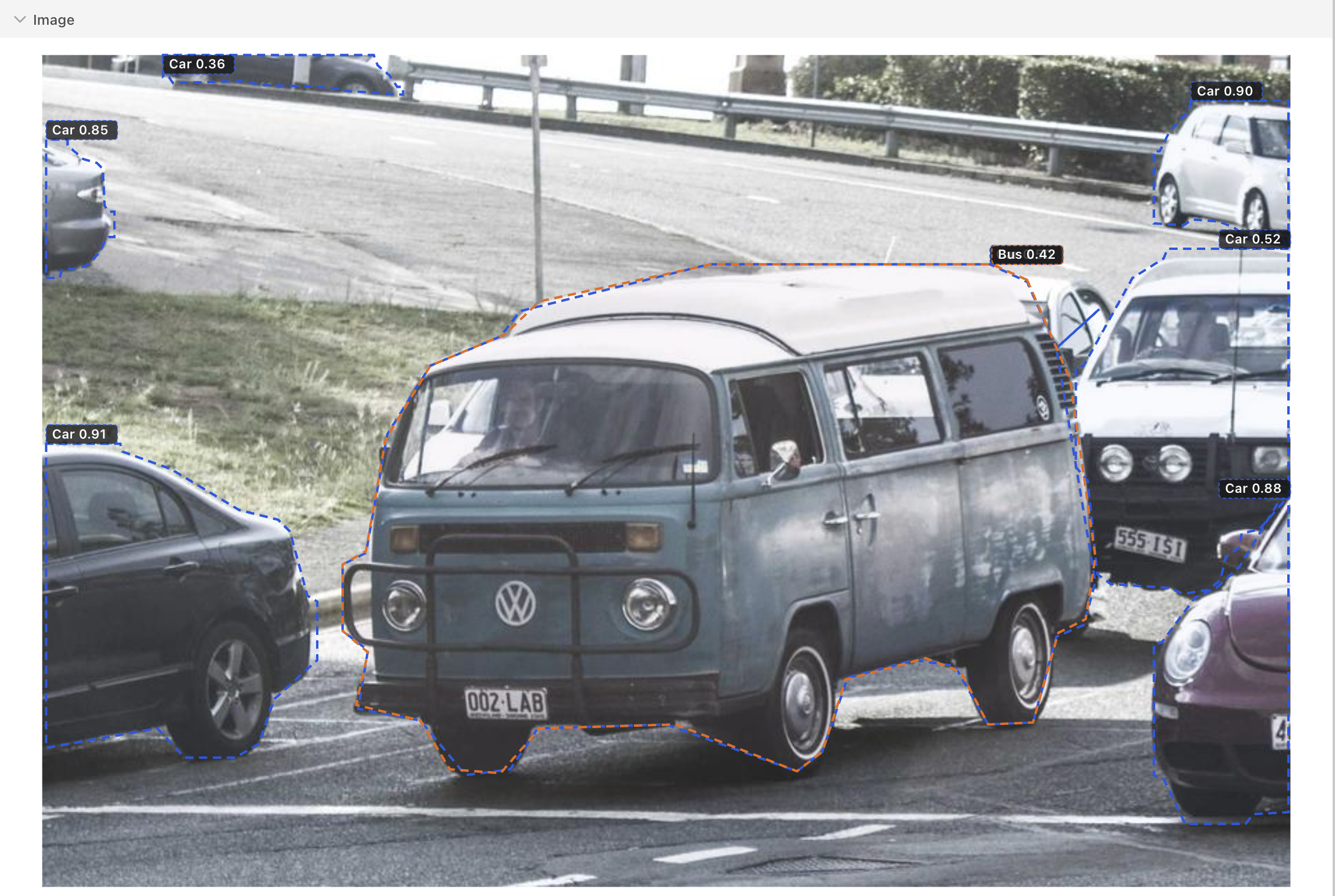
Book a demo →Pre-label: A predictor labels the task before anyone opens it. Each shape arrives dashed, with how sure the model was.
#630.85#2310.71
- 6kinds of data
- Images, video, text, audio, sensors and LLM output, in one tool.
- 2+people per task
- Two to ten per workspace. A label counts when they agree, or when a reviewer settles it.
- 0unagreed labels exported
- Export takes only what was agreed, so you train on ground truth.
- 1API for all of it
- Everything on screen is in the REST API, described in OpenAPI.
01Labelling with AI
Outline a whole crowd. A segmentation model traces every person and bag at a busy crossing. One click accepts all 83 outlines, and each one stays editable, point by point.
Photo: a frame of Shibuya Crossing, Tokyo by Basile Morin, CC BY-SA 4.0, outlined by YOLO11 in Groundwork.
Bring any model.
Every workspace runs it first, and its suggestions arrive dashed with their scores.
Connect from Hugging FaceModel hub
 Weights & BiasesCoreWeave model registry
- Your own serverAny HTTP endpoint
YOLO11Detect and trackGrounding DINODetect and trackSAM 2SegmentMask2FormerSegmentSigLIPClassify and searchResNetClassify and searchPANNsAudioBERT NERText and LLMsLlamaText and LLMsGeminiText and LLMs
RT-DETRDetect and trackOWLv2Detect and trackMobileSAMSegmentCLIPClassify and searchDINOv2Classify and searchWhisperAudiowav2vec 2.0AudioGLiNERText and LLMsQwenText and LLMs
02Quality
03The team
And the rest of a labelling team’s day.
Sign in with your company account
 Google WorkspaceOIDC
 Microsoft Entra IDOIDC · SCIM
 OktaOIDC · SCIM
 Keycloak or WorkOSSAML
Every sign-in logged
04Data types
One label screen for whatever you label.
Each kind of data is a set of components, mixed per project.
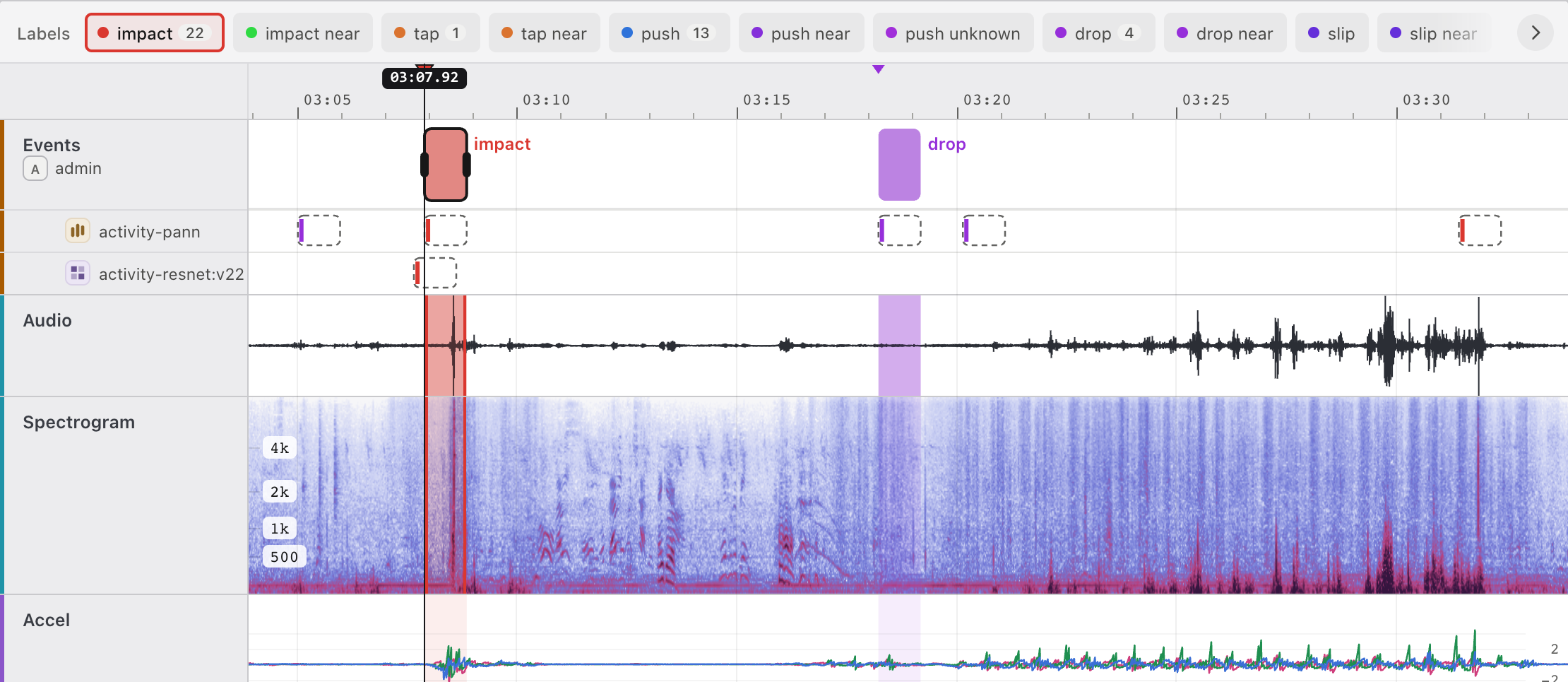
Recordings, sensors, video and GPS on one timeline
Every source is a lane on the same clock: waveform, spectrogram, a chart per sensor column, video frames and a map that follows the playhead. Label a moment once and it lines up everywhere.
Used forSound event detection, Activity and fall detection from wearables, Machine faults from vibration
WaveformSpectrogramLineChartVideoFramesMapTimeLabels
Boxes and outlines a model draws first
Run a detector such as YOLO over every image and its outlines arrive dashed, named with your labels. Accept them all, fix the odd one, or draw boxes, polygons, points and masks by hand.
Used forObject detection, Instance segmentation, Defect inspection
ImageShapeLabelsPredictorsChoices
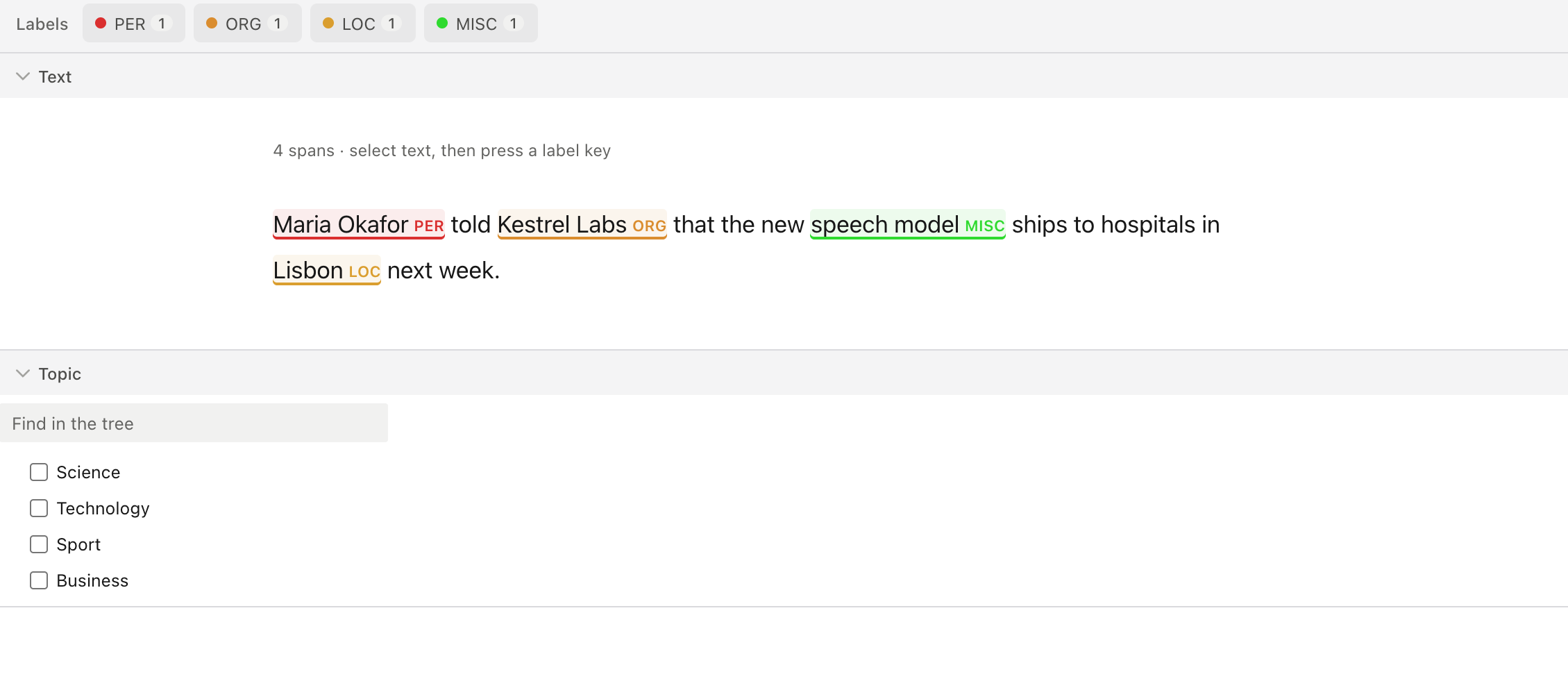
Named entities, spans, dialogue and documents
Mark entities and spans by character or by word, classify into a taxonomy, and read transcripts as dialogue with each speaker beside their words. HTML and PDF open as they are.
Used forEntities in support tickets, Intent and topic classification, Transcript review
TextHyperTextParagraphsPdfSpanLabelsTaxonomy
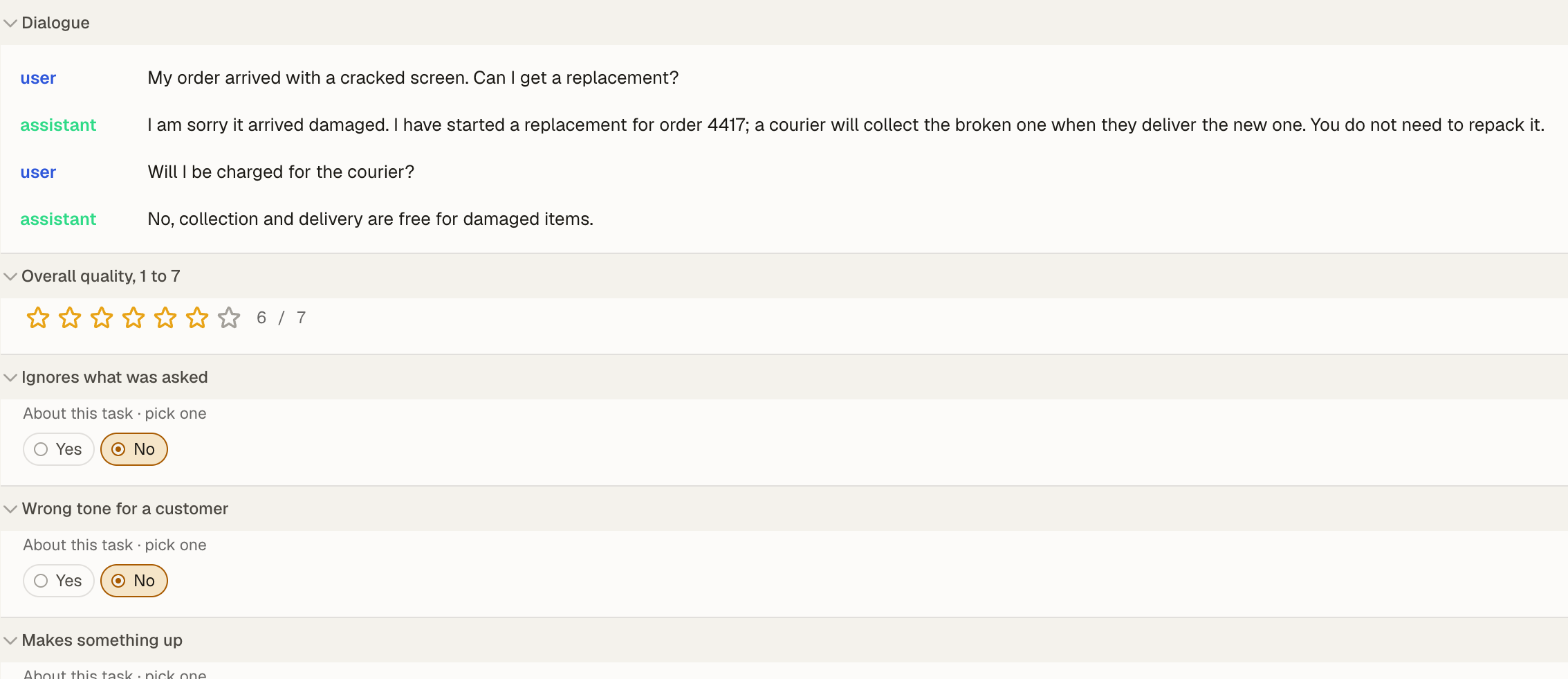
Corrections, preferences and rankings
Correct what a model generated, pick the better of two answers for RLHF, rank several and grade them on a scale, with every judgement kept per person.
Used forCorrecting generated answers, RLHF preference data, Grading against a rubric
TextAreaPairwiseRankerRatingChoices
05Workspaces
A workspace for every project you run.
Run as many labelling projects side by side as you need. Each workspace sets its own data, labels, models, people and review rules. Here are a few teams use it for.
Manufacturing. Mark faults on vibration and temperature on one clock, check inventory rows, and grade the incident reports written about them.
Example workspaces
- Pump vibration
- Parts inventory
- Maintenance documents
06Built by AI
Your data has meaning. Your screen is written by AI.
A project is two files: a model that says what your data means, and a workspace, in the open A2UI format, that says what people see. Change a line and the screen follows. When no component fits, AI writes one to the same contract, previewed on your tasks until someone reviews it.
model: activity
version: 1

sources:
  audio:
    field: audio
    shape: signal
    title: Session audio
  sensors:
    field: sensors
    shape: table
    title: Wrist motion
    index: { column: relative_timestamp, unit: s }

alignments:
  sensors_to_audio:
    type: offset
    from: ${sensors.time}
    to:   ${audio.time}
    offset: 0.4s

annotations:
  moments:
    type: time-range
    on: ${audio.time}
    labels:
      impact: { hotkey: "1" }
tap: { hotkey: "2" }Activity. The model says what your data means: an audio source and a sensor table, how they line up in time, and the moments people mark.
07API
Fits the pipeline you already run.
Everything on screen is in the REST API, described in one OpenAPI file. Generate a typed client for your pipeline’s language with any OpenAPI generator, or hand the file to an AI assistant and have it write one.
PythonTyped client from OpenAPITypeScriptTyped client from OpenAPIGoTyped client from OpenAPIJavaTyped client from OpenAPIC#Typed client from OpenAPIRustTyped client from OpenAPIKotlinTyped client from OpenAPISwiftTyped client from OpenAPIRubyTyped client from OpenAPIPHPTyped client from OpenAPIAIAny otherAsk an AI to write one
curl -X POST $GS/v1/projects/12/tasks \
  -H "authorization: Bearer $KEY" \
-d '[{"audio": "s3://field/s-014.m4a"}]'- Files stay yours. Recordings stay in your own bucket and open with your own access. Nothing is copied in.
- Hosted or on your servers. Our team deploys and runs it for you, or you run it yourself.
08Security
Your data stays yours.
Where your files live, who signs in, and what is kept.
- Your files stay in your bucket
- Recordings and images open from your own storage with your own access. Nothing is copied in.
- Your sign-in
- Single sign-on with OIDC and SAML, people kept in step with SCIM, and every sign-in logged.
- Every change kept
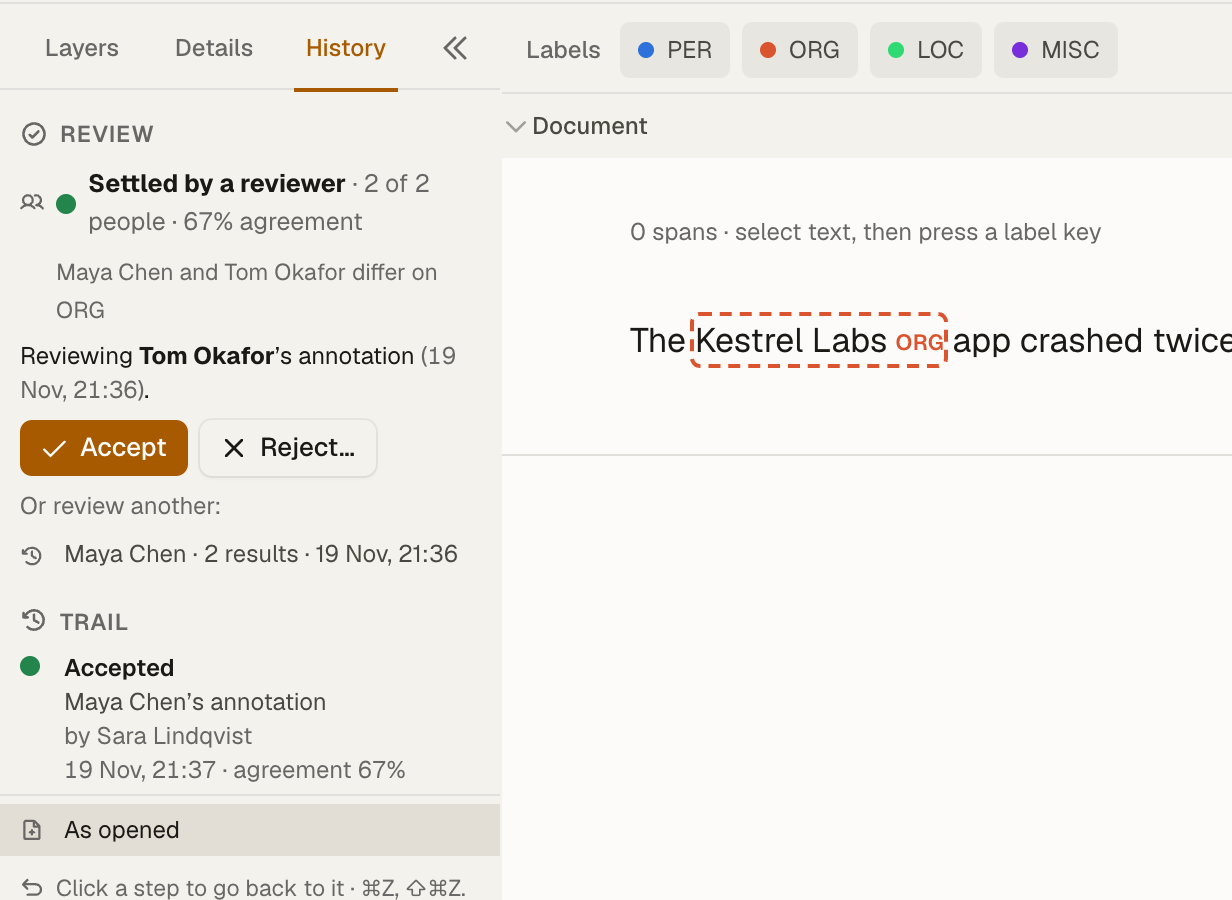
- Each label, verdict and earlier version is kept with who and when, so any label can be audited.
- Run it where you need
- Hosted for you by our team, or on your own servers, where nothing leaves your systems.
OIDCSAMLSCIMYour own bucketAudit historySelf-hosted option
09Pricing
Start with a pilot, then run it your way.
Starting prices in US dollars. We confirm yours after the demo, once we know your data, your team and where Groundseed should run.
- Length
- Thirty days
- People
- Your team
- Runs on
- Our servers
- Our team
- Sets it up on your data
- Length
- Monthly
- People
- Ten, then $49 a month each
- Runs on
- Our servers, your storage
- Our team
- Runs, updates and hosts models
- Length
- Yearly
- People
- Up to 25
- Runs on
- Your cloud or data centre
- Our team
- Sets it up and keeps it current
Included in every plan
- Models in the loop
- Review and consensus
- History of every change
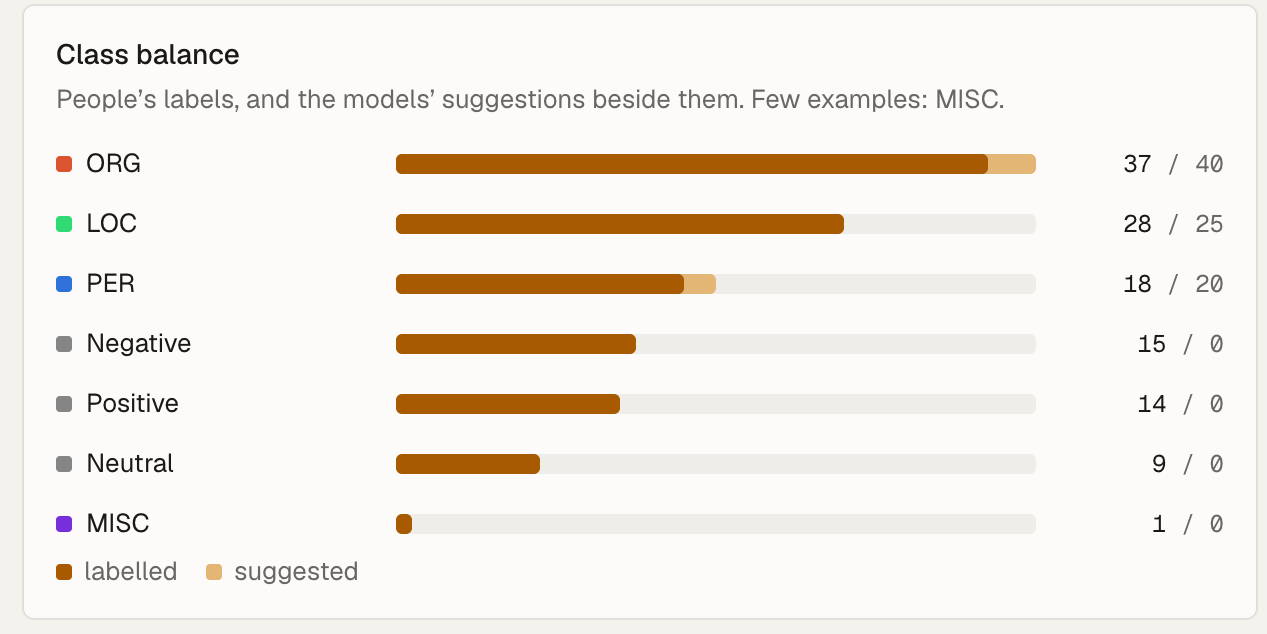
- Dataset health
- Single sign-on with SCIM
- The REST API
EducationHalf price on any plan for universities, schools and non-profit research labs.Ask about it →